Showing posts with label OpenGL ES. Show all posts

Wednesday, December 19, 2018

Technical Advisory Committee

I'm forming a technical advisory committee.  We'll meet a few times and discuss the iOS Metal port and rendering architecture in the toolkit.

This post is for developers I'm trying to recruit to the committee.  Let's start with the basics.

What is WhirlyGlobe-Maply?

National Geographic World Atlas (RIP)
WhirlyGlobe-Maply is a real time geospatial display toolkit for iOS and Android.  It's used in a whole bunch of apps, like FlyQ EFB and a few big weather apps like Dark Sky.

Dark Sky
The toolkit's been around since 2011 and it's carved out a crazy little niche in aviation and weather.  It's not a wildly profitable business, but it doesn't lose money either.  How many can say that?

Morecast

Oh, and it's open source.  So that's fun.

WhirlyGlobe-Maply 3.0


The last version I shipped was 2.6 a few weeks.  A huge improvement for data loading on iOS and a nice upgrade to the Android build system.  I.... need to do a post on that.  But no time.

3.0 is the big upgrade.  I'm going to add iOS Metal support, redo the rendering internals and upgrade the Android port with a better shared C++ core and newer versions of OpenGL ES.

Technical Advisory Committee


So here's the deal.  I'm adding a new renderer for Metal and replumbing the internals to match.  I'd really love to discuss it with a few experts along the way.

This is an open source project so, you know, not a ton of resources.  Here's what I'm offering:

  • Free lunch in a pleasant conference room at my coworking space in San Francisco
  • An invitation to pontificate on real time rendering without having to do any work
  • A cool entry on your resume

You do not need to know anything about geospatial or weather or aviation.  I got that covered.  Here's what I need from you:

  • Work in San Francisco or nearby.  No budget for travel, sorry.
  • Know something about real time rendering, iOS Metal or Android OpenGL 3.x
  • Willingness to chat about real time rendering

It's your real time rendering chops I'm interested in.  So game developers most welcome!

Contact me at sjg@mousebirdconsulting.com and we'll see if you're a good fit.

Thursday, February 2, 2017

WhirlyGlobe-Maply 2.5 Release

Version 2.5 is out for both iOS and Android.

Location Tracking

You can get v2.5 off of the build page or from the master branch.  We'll update the master Podspec for Cocoapods soonish.

As usual, getting this version out the door took way too long.  But here it is and it's really good.

Big Changes in Version 2.5


Android.  Without a doubt.  We now have a good Android version with a bunch of deployed Android apps.  Millions of people are using WhirlyGlobe-Maply on Android.  Crazy, right?

We started doing automated builds.  I can't over stress how useful those have been.

Both iOS and Android have AutoTester apps; individual test cases presented in a list format.  Useful both for testing and user examples.

We upgraded to Swift 3.0 and kept pace with all the new Xcode versions and UIKit deprecations.

Ripped out AFNetworking and Boost.  Respect to both packages, but AFNetworking was interfering with users' own version and we eliminated Boost with C++11.

Vector (tiled and not) support got fancier with Styled Layer Descriptor format and the Simple Styles approach for building your own.

True 3D interaction got fancier in support of LIDAR.  There's an example in the AutoTester so check it out.

We added user location tracking and display.  A relatively simple change, but a popular one for map users.

Important but Boring Stuff


We made an enormous number of small fixes, efficiency improvements and minor functionality tweaks.  Also a lot of new tests for things that are (no longer) broken.  Here's a partial list in a boring format no one is going to look at.

Maps now have ViewState animations like the globe.  Feature selection is smarter with individual and group features.  Widened vectors is faster, smaller, and better.  We've got a 3D model builder for things like airstrips.  Elevation support is better and more flexible.  Stars and atmosphere work better.  Vector tiles kept up with new versions and added more style options.  Particle systems work better.  Internal coordinates are now double everywhere for getting really close to things.  3D support includes the ability to "grab" objects via the IntersectionManager.  Removed Mapbox GL Style Sheet support and then put it back.  Single level loading works on the globe now for both vector and image layers.  Screen Label layout works correctly for all modes.  Great circles work in 2D across the date line.  And much, much more.

What's Next


We're going to make some internal changes to the source tree, like unify the Android and iOS branches.  Then we'll move to git-flow methodology to hopefully speed up minor releases.

In terms of functionality, I've been rolling out statements of intent for things like Windows, True 3D support, MapKit, and Mapbox support.  We've also got the Imagery Pro toolkit for weather apps and another one in the pipeline.  Much of this requires money, so let me know if you have some.

Monday, January 23, 2017

Windows? Really?

We recently put together an estimate for a Windows 10 port.  And you may be thinking to yourself... WHY?

The Surface Pro 4?  Maybe?  Dunno.  Sure looks cool.


It's not the phone.  Oh my no, not the phone.  It's about the Surface.

Delicious Schadenfreude


If you were working during the 90's or early 00's Microsoft's diminished circumstances are amusing.  Unless you work for Microsoft, I guess.  I made a living writing Windows software back then and I loved the development environment.

But watching Microsoft face plant in the mobile market has been glorious.  Truly.  Undeniably.  Glorious.

Back to the Point


Ignoring the Windows Phone (and who doesn't?).  Okay, okay, no more cheap shots.

Ignoring the Windows Phone, the Surface is kind of cool.  MS has typically muddled the lineup and the naming,  but it's settled down to a beefy line of devices running Windows 10.

Now that the WhirlyGlobe-Maply Android version is solid, we can start thinking about another port.  How hard would Windows be?

Porting to Windows 10


First, a quick review of the Android port.  WhirlyGlobe-Maply has a chewy C++ core which we ported over and then coated in a Java shell.  All the rendering and data management is in C++.  The networking, threading, and interface is in Java.  It was painful, but the results are fast and easy to use.

On Windows, we'd follow a similar path.  The C++ core goes first, then a C# interface on top.  Interfacing C++ to C# is easier than the NDK on Java (it's a low bar).  That just leaves the graphics API.

We use OpenGL ES on Android and iOS, but Windows uses DirectX.  Google makes the ANGLE library which should do the trick.  If not, we'll have to fall back to new shaders and new graphics code.

Who Wants This?


Microsoft is really good at selling Surfaces to big companies.  Airlines and aircraft manufacturers are big companies.  A lot of our customers are in those industries.  Connect the dots.

This is by no means a sure thing.  We've worked up the estimate and sent it out to a few people, but it's not cheap.  Consider this notice that we're willing to do a Windows port if you've got the cash.

Thursday, January 5, 2017

Part 2: Future 3D Support in WhirlyGlobe-Maply

Last time we looked at WhirlyGlobe-Maply's existing 3D support.  It's considerable, but often hard to use.

FlyQ EFB and NATS Airspace Explorer

Now we'll talk about where we're heading.  It's all about the data sources.

Putting the 3D's in Data


Most of our users have fairly limited data processing capabilities.  Say you want to add elevation to an app.  We'd say:

  • Gather all the elevation data you need.  USGS is a good source.
  • Stitch it all into a single giant image in Spherical Mercator
  • Chop that image up into tiles using this random tool we have on github
  • Load the resulting sqlite file onto the device.

Easy enough, right?


Yeah, not so much.  That's why you see so few WG-Maply apps with elevation.

It's not just us, you know.  OpenStreetMap data is much easier to use when you move from Planet Files to Metro Extracts and Vector Tiles.


Structured 3D Data Sources


What developers really want is web services that they can plug into their apps.  Also pizza that lifts itself into your mouth.  Pizza robot.  Patent pending.

People want to point their app at an elevation, 3D building, or vector tile service and stuff just happens.  So let's look at some of those services and the formats they support.

Two New Styles of Elevation


Elevation tiles are an obvious thing.  We already support Cesium's elevation, but there are others out there now.

Mapzen came out with a straight up elevation tile service a few months ago.  There are a few minor technical hurdles, but it could be made to work well with the toolkit.

Mapzen Elevation Example

Mapbox came out with their own elevation tile service shortly thereafter.  It's a different approach, with similar problems in 3D but could also be made to work.

Courtesy Mapbox terrain-rgb post

So there you go.  We'd like to support Mapzen & Mapbox elevation data for 3D.

Buildings with Height


OpenStreetMap buildings have height (usually, mostly).  Mapbox has been showing this off lately in their APIs and Mapzen has been doing it for a while in Tangram.

Mapbox Data w/ Mapbox GL

We'd like to support height in vector tile data.  Not too difficult, obviously, but cool.

Now for the harder stuff.  Let's start with a detour into data formats.

GL Transmission Format (glTF)


The 3D file format we support right now, Wavefront OBJ, is old and weird.  We need to move to something new and... less weird.

glTF is backed by the Khronos  Group with lots of work from the Cesium folks.  It's a new, relatively simple optimized model transmission format.  Easy to read, fast to transmit, it solves a lot of problems for models like these.


And it enables some even crazier stuff.

3D Tiles


The Cesium folks have a 3D Tiles proposal out that looks great.  It's open, they've got example implementations, and they're trying to make it an OGC standard.

3D Tile data displayed with CesiumJS

That approach is well suited for mobile.  We can't display as much as a desktop can, but we can display a lot.

Naturally, we'd love to support this in WhirlyGlobe-Maply.

Point Clouds


We already support point cloud display for things like LIDAR.  It's restricted to a Sqlite based format read on the device.  Hey, it's what the customer needed at the time.

San Simeon LIDAR

We'd love to extend this to services like Greyhound, an open source streaming data server.  We'd also like to add support for the GeoPackage point cloud extension.

Summary


There's a ton of explicit 3D support in WhirlyGlobe-Maply for interaction, model construction, and motion.  We'll continue to push in these areas and others we haven't talked about, like 3D weather.  But that stuff is driven by high end client needs.

NATS Airspace Explorer

What we'd really like to do is support these newer services for our regular users.  If you have other services you'd like to see or, better yet, some budget, please let us know.


Monday, December 5, 2016

Part 1: Existing 3D Support in WhirlyGlobe-Maply

We've got a two parter for you.  First up we'll look at the existing 3D support in WhirlyGlobe-Maply.  Next time we'll lay out the roadmap for 3D in the future.

So let's start with the question:  Isn't WhirlyGlobe-Maply already 3D?

3D Minus 1D Equals 2D


Everything WhirlyGlobe-Maply does is 3D, but we hide it most of the time.  Look at some of the more prominent apps, even ones that use the globe.

Dark Sky, Gaia GPS, NatGeo World Atlas

The giveaway is the gestures.  Can you tilt?  Nope.  And we're not hiding some wealth of information.  If you did tilt toward the horizon you'd see.... nothing much.

To be truly 3D an app needs to turn on the 3D gestures and it needs data with real 3D structure.  There are a few that do it and we provide a lot of functionality to support them.

LIDAR Point Clouds


Did you know WhirlyGlobe-Maply supports LIDAR in a pageable sqlite format?  It does and it's pretty cool.


Available on both iOS and Android in 2.5 this is an essential use of 3D.  You couldn't see all that much in 2D... well okay you can, but it's better in 3D.

Truly 3D Terrain


We've been able to do true 3D terrain for years.  Aviation apps use it.

FlyQ EFB Synthetic Vision Mode

Why don't you see that more?  Well, it's useful for aviation and.... um, games maybe?  Users tend to be specialized.

Models, Markers, Billboards, Labels & Lines


The toolkit can display 3D models in Wavefront OBJ, a data format old enough to vote, but it works well enough.

We can also do billboards, which are like a 3D version of markers and, of course, labels.  Here's what you'd use that for.

NATS Airspace Explorer


Inspired to make your own 3D traffic app?  Of course you are, but it's a lot of work to get the display right and the data is expensive.

General 3D Geometry


Lots of our users make stuff up on the fly.  Why?  Because if there was a pre-packaged version of it, they wouldn't be making an app.

Fake airstrips are fake.  Do not try to land.

For stuff like this we've got a model generator.  You build up your special snowflake of a model polygon by text by line as needed.

If you've already got 3D geometry, you can hand the triangles over to the renderer.  Hard core, but useful in a few cases.

Lofted Polygons and Extrusions


On the easier side are a couple of features that let you think in 2D and tack on a height.

Downright candy colored

Lofted polygons have been around a long time and work well on the globe.  They're nice for showing relative height... and they just look cool.

Extrusions are a way of whipping up a model without having to do, like, math.  You can slap together an arrow, for example, to point at things.

Where We're Heading


WhirlyGlobe-Maply has extensive 3D support and real apps (mostly aviation) have been using it for years.  It's all rather do-it-yourself though, particularly on the data side.

There are a number of good data sources for 3D coming on line recently.  In the next post we'll discuss how we'd like to use them and where we'd like to go.

Wednesday, August 24, 2016

Announcing WhirlyGlobe-Maply Imagery Pro

Today I'm delighted to announce the first option on top of the WhirlyGlobe-Maply toolkit: Imagery Pro.

The red's moving away so that's good.

Up to now everything has gone into the free toolkit or client apps.  This marks the first time we're keeping something to ourselves and, yes, charging for it.

Who's This For?


We love all our users equally.  Okay, maybe we love the ones who pay support a little bit more.  But you're all cool.  Honest.

We've attracted a lot of weather and aviation users.  It makes sense.  They have pretty serious data display needs and only a passing interest in street maps.

Imagery Pro is for them.  We're taking what we've learned and pushing way beyond.

What's In It?


It's all in the marketing, but the basics are like so:

  • Efficient data transport
  • Fancy shaders
  • Getting rid of the !#*$& seams
  • Easier particles
I do love my animated gifs

All good stuff if you do weather and/or aviation.

So what about WhirlyGlobe-Maply?


That's right.  My five year plan to give away massive amounts of geospatial code is finally coming to fruition!

But no, the base toolkit is all good.  Imagery Pro is about expansion into a couple of markets that want much more right now and they're willing to pay for it.

We're continuing to expand WhirlyGlobe-Maply with iOS (2.5) and Android releases in the pipeline.  That's not going to change.

Monday, August 1, 2016

Deprecating Mapbox GL Style Sheet Support

For an update on the situation go read the latest.  Short version:  We're putting it all back.

If you follow the open source mapping world (and why would you?), there's been some interesting rumblings about Mapbox Intellectual Property of late.

I don't totally understand this, but Mapbox is unhappy with the stated goal of copying Mapbox Streets.

Is Mapbox Wrong?


Legally, I haven't a clue.  Ethically, they're probably quite right.  Their participation in the community earns them the benefit of the doubt.

So then, if we take them at their word, the word is "Thou shalt not copy Mapbox Streets".

It's an interesting word and it kicked off a bit of examination of my project.  Am I using any Mapbox IP and what are the consequences?

Mapbox Now and Mapbox Future


Is this really a big deal?  Mapbox is a good open source citizen and they're clearly trying to be very gentle.

But here's the thing, Mapbox took venture capital.  A sale is a likely outcome and those people aren't going to be as nice.  Think Oracle and Java.

So, what Mapbox IP do we use and what should I do about it?

Mapbox Vector Tiles


My users do use vector tiles.  Some Mapbox hosted, but always their own custom data.  Some users even have their own services.  Both cases are fine.

Vector tiles are undeniably open.  They've stated so any number of times and data formats are well understood in IP law.  I think we're good there.

Mapbox GL Style Sheets


This one's dodgier.  Though the format itself is open, there are restrictions on the style sheets we can use.  I can follow those restrictions, but will my users?  Ha!

Most open source users consider anything publicly available to be fair game.  The Mapbox Streets styles are the best out there.  There's no way they won't borrow from them.

So now we've got a style format that's tempting you to cheat.  That's strike one.

Data formats encode technical thinking.  If I implement OpenGL ES shaders to support Mapbox GL Styles then how different are those from Mapbox's own shaders?  It's a question that gives me pause.  That's strike two.

Goodbye to Mapbox GL Style Sheets


The style sheet format is cool, but it's too dangerous.  I'm ripping it out of the toolkit for version 2.5.  If you're using it, grab the code and make your own copy.

We do have Styled Layer Descriptor format support coming out soon.  Not as cool, but a nice safe OGC standard.

Tuesday, July 5, 2016

Welcome to wetter.com!

I'm proud to welcome the German wetter.com iOS app to the WhirlyGlobe-Maply family.


The wetter.com app presents regional weather, including predictions, on a map.

Details, details, details


It's funny to celebrate a flat map when the toolkit does a globe.  But for a regional app, the globe doesn't make sense.  The flat map simplifies things for the user and lets us optimize the data transport.  All the good stuff we do on the globe works on the map.

The app itself shows current predictions, recent radar, and cloud cover.  As well as some other cool non-map related stuff like weather cams.

Are those labels on top of the weather?  Oh my!

Mobile hardware is really good these days.  Since we're no longer planning for the iPad2 we can do some really great OpenGL ES shader work.  If you zoom in close, you'll see some great spatial and temporal interpolation.

The Inevitable Marketing Push


There are a lot of regional weather apps for iOS and Android.  Not so much in the United States where almost all the data comes from NOAA.

In the rest of the world weather data tends to be less free and more complicated.  Add to that language and local preference and you get a lot of interesting, distinct regional weather apps.  If you make one of those and want to upgrade your graphics, let's talk!

Friday, May 13, 2016

Integration with Micello Indoor Maps

A few months ago we were approached by Micello about displaying their indoor maps in WhirlyGlobe-Maply.  They provide indoor maps to a ton of interesting companies.

Taste the Capitalism!

Seemed like an excellent idea so we went ahead and whipped up a tutorial and demo.

Micello Tutorial


Micello was kind enough to provide a few examples.  We chose the Westfield Valley Fair mall near Cupertino.  I used to live there and have a certain fondness for it.  There was also a recent story about the minimum wage change that cut right through the mall which we incorporated into the display.


If you've got a Micello account feel free to work through the tutorial and let us know if you have nay questions.

On To the Future!


Ranen put together a rather nice example app, which is what you build in the tutorial.  It shows off some fairly clever display with styles, selection and a few other things.  But we could do more for optimization, label layout, and general display flexibility.

Our example was built on the globe, but you could as easily put it on a regular map.  Doing something special for pure indoor map display is also an interesting idea, though this seems to work well enough.

WhirlyGlobe-Maply is an open source toolkit, so you can take the code and run with it.  Feel free!  But we do consulting if you've got a budget and some requirements.

Thursday, April 28, 2016

Integration with AerisWeather

We're delighted to announce integration with AerisWeather and the WhirlyGlobe-Maply mobile toolkit.

Florida: A reliable source of interesting weather


AerisWeather makes a variety of weather related products, like radar and satellite overlays.  We've done some simple integration to make those easier to use.

A Little Background


If you're coming from the AerisWeather site, you probably don't know who we (mousebird consulting inc) are.  We do high performance mobile data display.
Globe & Map

We make the WhirlyGlobe-Maply open source geospatial toolkit for iOS and Android.  It's a mobile first SDK used in a variety of weather, aerospace, map, and education apps.  It's easy to integrate, free to use, and imposes no extra costs on your app.

What We Did with AerisWeather


Our toolkit already supported a wide variety of weather and aviation apps so there was nothing difficult to add.  We just made it easier to fetch AerisWeather data layers.

There are a few new MaplyAeris objects in the toolkit.  These take your AerisWeather key, interrogate the available layers and set up the necessary WG-Maply objects.


There's a nice tutorial for iOS, so go check that out.  Ideally, use your own AerisWeather key.  Ours is just the boring demo account.

What's Next?


Our technology is used in some really ambitious weather apps.  We'd love to move a few of those techniques over to a broader base.

AerisWeater Weather Satellite Layer

AerisWeather layers are nice, but they're pure visual, like you'd use in a web browser.  Mobile devices are smarter and we know how to feed them better data.

So here's the deal.  If you're an AerisWeather user on mobile we've made it easier to use those layers in our toolkit.  That's great, but if you'd like to make it faster, smaller, and prettier, let's see what we can do together.

Wednesday, April 20, 2016

International Space Apps Challenge

This weekend I'm participating in the International Space Apps Challenge.  I'm going to build an app I've been thinking about for years, but has no commercial viability whatsoever.


That's right, it's a NASA earth data set browser.  Obviously, just a subset of earth data.  Like, the stuff that's easy to access.

Global Imagery Browser Service


NASA provides a really nice back end for accessing some of their (near) real-time data sets for the earth.  You can get a fair bit of historical data too.  And they provide a really nice web interface.  Check out NASA WorldView.


There are only two problems with this otherwise awesome web app.  First, it's a web app so mediocre on mobile devices.  Second, it's not a globe.  Because globe.

Worldview for Mobile


And that's the goal for this weekend's hackathon:  A Worldview clone for iOS devices on a globe.  We won't call it that, obviously, but I do plan to borrow its configuration files.  Because open source.  And lazy.


Now you might say "The globe and the images and... that looks hard!"  Actually, no.  I make a toolkit that does all of that.  This is going to be an exercise in user interface and add ons.  I'll deal with the user interface and...

Other People


If anyone wants to join my team, you are welcome.  It's going to be an exercise in software engineering, I'm afraid.  I can't think of much that isn't software development here, but I'm open to ideas.

I'm going to concentrate on the main user interface for iPad and iPhone.  I can think of a few other features that might be very cool and (best of all) largely separate.

  • Star field:  The toolkit has one, but I've never verified that it makes any sense.  You could make it look better, update it based on the time and verify that it's correct.
  • Planets: We're using the AA+ toolkit for sun and moon positions.  You could add the planets.
  • Sun & Moon: The existing sun and moon are there, but they could look better.  Phase of the moon would be cool.
  • Satellites: All of the satellites that contribute data have predictable positions.  It'd be cool to see their locations at any given time and perhaps their tracks.
  • Other data sets: Got other earth data sets you'd like to see?  Might be easy enough to add.
Anything you can think of is fair game too, of course.

The app itself will be released open source and, if we get something good, published to the app store after a little testing.

Tuesday, March 29, 2016

Map Features in WhirlyGlobe-Maply

I'm going to discuss map related features of the WhirlyGlobe-Maply toolkit. The SDK is an open source, mobile centric geospatial display toolkit. It’s used in a variety of weather, aviation, geography and map apps.
Two of the more prominent examples are Dark Sky, a weather app and National Geographic World Atlas, which is exactly what it sounds like.

NatGeo World Atlas & Dark Sky

The globe apps are best known, but WhirlyGlobe-Maply has huge support for traditional 2D map apps too.  We're going to talk about some of those features, but let's start with map apps in general and one in particular.

Map Apps


Mapping is one of the more popular categories in the app stores. Both Apple and Google have their own map offerings and toolkits, but they're poor if you have your own data? That’s where toolkits like WhirlyGlobe-Maply come in and we’ve built a number of features specifically for those sorts of apps.

One of the more capable map apps that uses the toolkit is Gaia GPS.
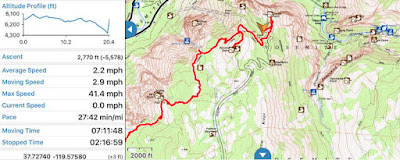
Fact: 30% of hiking app screenshots are Yosemite.

Gaia GPS displays a variety of image and vector based data sources. It’s popular among the backpacking and off roading communities.  It can work without a network and is very careful with battery.

Let’s move on to one of the key features for nearly every map app: Image Tiles.

Image Tiles


A basic feature required for map display is loading and rendering of image tiles. We’ve moved well beyond Web Map Service on mobile devices and we now expect tiles. This might be a Web Map Tile Service (WMTS), but is more likely to be a fixed quad tree of tiles like that coming from Google Maps or OpenStreetMap.


Efficient image tile loading is a tricky problem. Mobile devices have network constraints and we want to make careful use of data caching. WG-Maply can handle this for both globe and map, but there’s an interesting variant for the map case.


In the example we’re loading three levels of tiles based on the current window. We start with an extremely low resolution, then overlay that with slightly higher resolution and finally toss in the proper resolution. It gives the user something to look at while the system loads the good stuff.

Tricks like these are important to efficient map display on mobile, but let’s take a quick detour through some really basic functionality.

Vectors, Labels and Markers


Any credible map toolkit should be able to display some basic features and WhirlyGlobe-Maply is no exception. These include vectors for areal and linear features, labels for points and of course markers.


All very simple to us.  Vectors, for example can be consumed from a variety of data sources, like GeoJSON or (ESRI Shapefile). Labels and markers are 2D features and can interact through an adaptive layout engine.  All of them provide selection feedback too.

It’s what the developers do with these features that gets interesting. That leads us to a complex modern feature: vector tiles.

Vector Tiles


Mapbox has popularized vector tiles with their OpenStreetMap data set. Theirs is a Google Protobuf based format, which is as complex as it sounds. The fundamental ideas are simpler.

Vector tiles are to image tiles as vectors are to images. They are just chopped up geometry representing what’s in each map tile. You can use them much more flexibly than images.
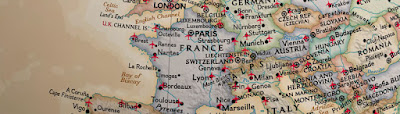
A very custom example of vector tiles.
Believe it or not, National Geographic World Atlas uses vector tiles hosted by Mapbox.  The rest of it is completely custom.  And, okay, it's technically a globe.  But if National Geographic doesn’t have some cartographic street cred, nothing does.
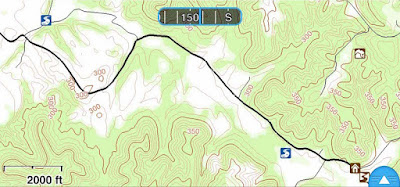
A more normal use of vector tiles.

The Gaia GPS developers use vector tiles they generate themselves to draw contour lines. The data is styled using Mapnik XML which is associated with the Mapnik map renderer.  Gaia GPS also has a street layer based on the same approach.

WhirlyGlobe-Maply has vector tile support down solid, but style support is still in flux and likely to be for a while. We can support older style formats like Mapnik XML and developers can always go off on their own. Newer formats like Mapbox GL Style Sheets are not fully supported yet. We also hope to add in Styled Layer Descriptor since it's an actual standard.

Vector Tiles are a bit trippy so let’s go back to some more basic map features.

Wide Vectors


Widened vectors are one of those obvious things that require some work to implement.  OpenGL ES has a basic line implementation, but it looks kind of... meh.  If you want lines that have smooth edges and neat little joins, you need something more.


WhirlyGlobe-Maply's implementation involves a custom OpenGL ES shader and a bit of math.  Line intersections are calculated on the fly (sort of) and width can be varied as needed.  Typically this just looks like constant width lines as the user moves in and out.

Look deep into my shader
Oh, and you can do dashed lines and other effects.  Wide vectors work both on the flat map and the globe, but they're primarily a map feature, just like the next one: clustering.

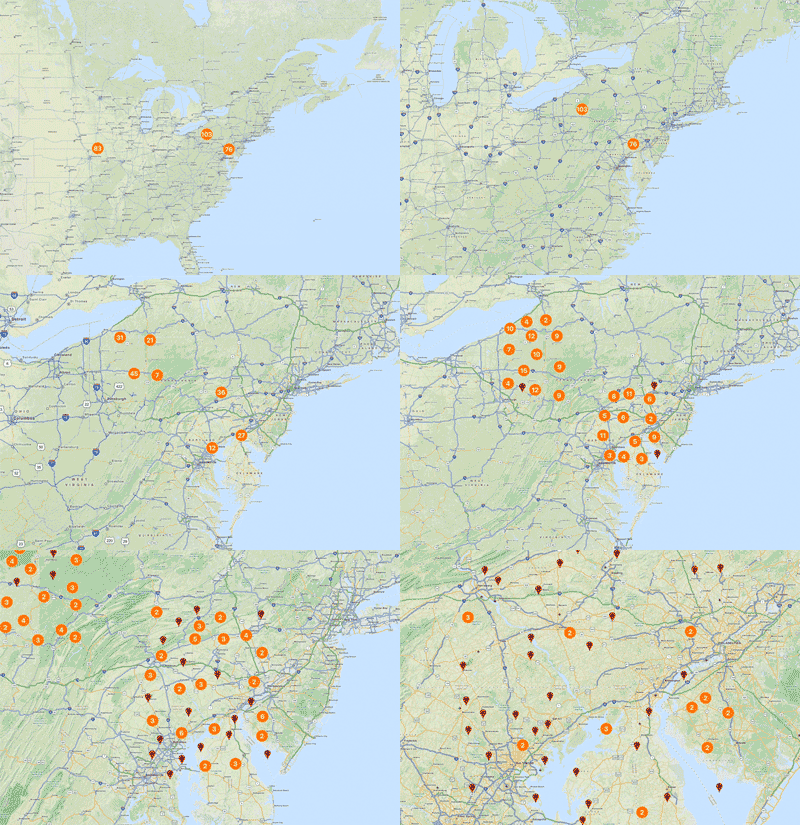
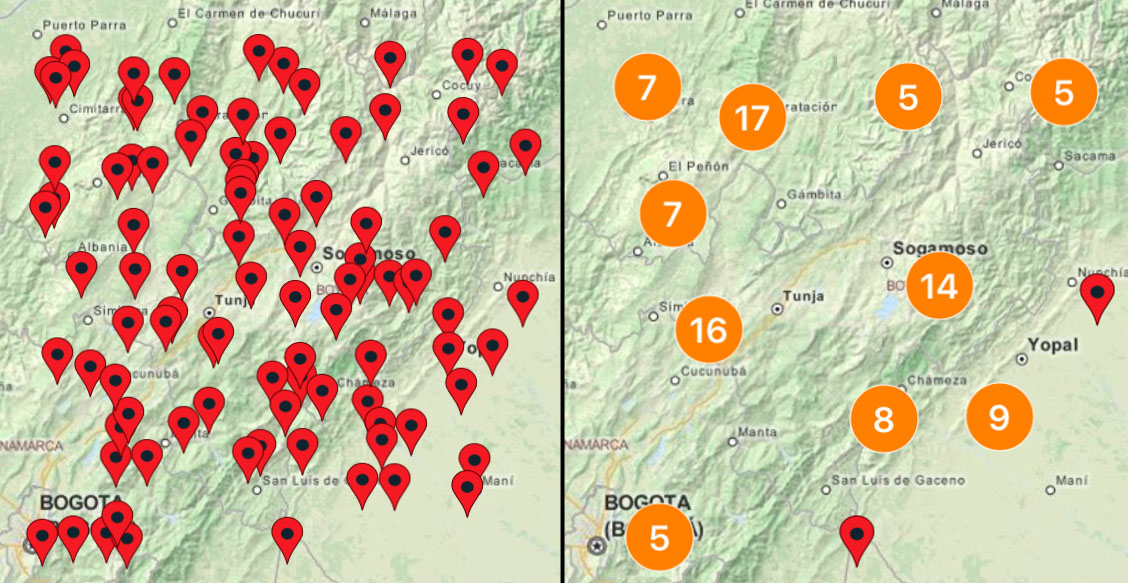
Marker Clustering


Clustering markers is a pretty simple idea. When you have a lot of markers on your map, it can look bad. Best to gather them up into groups and display the groups.


Simple enough, but our maps move so we have to do something more. As the user zooms in, the groups come apart and as zoom move out, the groups form. It’s tricky to implement, but looks quite nice.


In truth, clustering can be used on both the globe and the map even it’s nominally a map feature. Let’s look at something purely from the 2D map.

Infinite Scrolling


For certain types of map projections, the extreme west and east extents represent the same point (really, line). This means the user expects to move the map and have it wrap around.
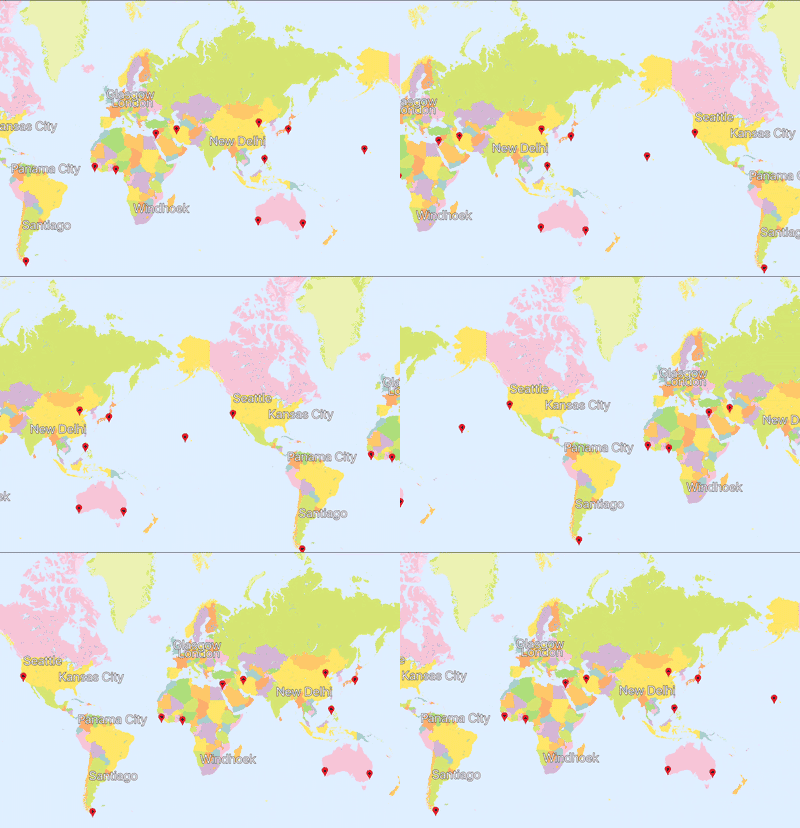
Bonus question: What about wrapping top to bottom?

Infinite scrolling is simple in concept, but tricky to implement. The rendering isn’t bad, but when you add in feature selection and overlaid data it gets interesting. You know what else is interesting? Map projections.

Map Projections


The real test of a map toolkit is whether it handles explicit map projections. Actually, that’s not true. Plenty of map toolkits only work in a simple map projection, known as web mercator. But if you want to hold your head high in a room full of cartographers, you should have map projection support.
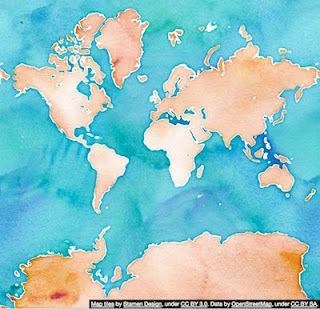
Does this projection make my poles look big?

Web mercator, shown here, is the most common projection in use on mobile. It has its problems, particularly near the poles. We can thank Google Maps’ dominance for this affront to cartography.  There's data in plenty of other projections and good reason to use them.


From left to right we’ve got:
  • A data source in British National Grid overlaid on a web mercator map.
  • The same data source overlaid on a British National Grid map. The web mercator data source is being reprojected.
  • The same thing on a globe. Because it looks cool.
Though the vast majority of our users will always use web mercator, WhirlyGlobe-Maply can do more. It uses the Proj.4 coordinate system package internally and can handle a variety of useful map projections.

Conclusion


Map toolkits for mobile devices are hot right now. There are a number of excellent ones, though most are tied to specific data services like Apple or Google or are proprietary or both.  A few are open source, like WhirlyGlobe-Maply.

We’ve discussed some basic features and a few advanced ones we consider essential for map display on mobile. If you’re looking to build an app, we hope you’ll look beyond the proprietary services to something like WhirlyGlobe-Maply.

Special thanks to Stamen for the Stamen Watercolor map tiles, derived from OpenStreetMap data, used in many of these examples.

Friday, March 4, 2016

CartoType GL

In cooperation with CartoType Ltd, I am proud to announce CartoType GL for iOS and Android.

Parks are green!

CartoType GL is the next generation of the CartoType map toolkit.  It's got all the flexibility of the existing library for map representation, routing and address searching, but we've add a zippy OpenGL ES renderer.

What is CartoType?


CartoType is an offline map library that works with limited resources.  This makes it popular on smartphones and other situations where the user is not connected to a network.  It can handle a variety of data inputs, making it easy to use your own data, but can also deal with the usual OpenStreetMap cases.

I wonder where this is?

The existing CartoType library does a really nice job representing complicated maps in a very small space.  It's primarily a static map rendering library, so when you use it on a smartphone it'll render the map when you stop moving.  What we've done is upgrade the renderer.

What is CartoType GL?


CartoType was already doing a fine job representing maps.  What it needed was to draw them faster.  CartoType GL is just what it sounds like, an OpenGL ES based version of CartoType that solves the speed problem.


CartoType GL marshals the resources of the existing library to convert data to internal vector tiles.  Those are are processed into OpenGL ES compatible data and rendered at a nice zippy, interactive speed.  Basically just what you'd expect in a modern map toolkit.

Online vs. Offline


There are some excellent cloud based map solutions out there for map representation, routing, address searching and so forth.  CartoType GL is not that; it's an offline solution.

I have no idea where this is.

Why offline?  Well, it's actually a different problem.  You can cobble together offline solutions from the online technology, but they're not great.  They're too big, they don't do routing well and they're focused on display.  If you want to do a good offline map toolkit it's a different beast.  That's what CartoType is.

Cost & Availability


CartoType GL is, logically enough, being sold through the CartoType company.  They are the ultimate source of details on this effort.  Contact them for a license.

We hope to get the iOS version out in April.  Android should follow shortly after that.

Boring Technical Details


WhirlyGlobe-Maply is the open source toolkit we (mousebird consulting inc) make and it has two levels.  The core is a C++ rendering and object management engine.  Above that is an Objective-C interface on iOS and a Java interface on Android.

CartoType GL uses the core C++ renderer directly.  Rather than expose high level WG-Maply functionality, we interface with the GL renderer.  This makes CartoType GL a much simpler map centered toolkit.

WhirlyGlobe-Maply is and will continue to be open source.  This arrangement is just like one of the commercial apps that we work on.  It's even contributing functionality back, making the toolkit better for everyone.

Thursday, February 25, 2016

Marker Clustering

Let's continue with the new map features and look at a really cool one paid for by Miizee.


The number one response to marker clustering has been "I thought you already did that."  So I guess we were on the right track.

What is Clustering?


It's easier to show than tell, but I'll belabor the point.  Clustering is when you take a bunch of markers that would normally overlap and turn them into a single grouped marker.  It's meant to make your map more readable.


Clustering works both on the map and the globe.  It's easy to access and to modify.

Cluster Specifics


If you're already making MaplyScreenMarker objects and letting the layout engine handle them, then it's easy to cluster.  Just add the attribute kMaplyClusterGroup and set it to 0.

Already know I'm going to be tired of orange

Cluster Group 0 is set up by default and will make orange clusters with a number in the center.  Since clustering is a function of the layout engine it'll fire off on a regular schedule and clusters will interact with other markers and labels.

Let's look at a simple example.


That sets up a few markers, then asks the system to cluster using the default cluster group.

Selection works too.  If the user taps on a cluster group, you get all the individual markers back.  They're tagged as part of a group too.

Rolling Your Own


We've set up the default clustering mechanism with an instance of MaplyBasicClusterGenerator.  You can set one of those up yourself and add it to the MaplyBaseViewController.  You can even overwrite the kMaplyClusterGroup for 0 and change the defaults.

The MaplyBasicClusterGenerator gives you access to a variety of attributes, such as:
  • The image used for a cluster background.
  • The animation time for markers joining and leaving a cluster
  • The shader to use for movement.
If that's not enough control, you can just subclass MaplyClusterGenerator and control it all.  When asked, you'll return a UIImage and the size of the marker you're creating.  The system will handle the rest, including texture atlases, animation and cleanup.

Behind The Scenes


There's obviously some cool stuff going on here.  Not only are clusters very flexible, they're fast.

Clustering is hilarious around the edges
Several versions ago we started using OpenGL ES shaders for the markers and labels.  This let us draw a lot of them, but also start treating them as normal geometry.  Animation and clustering are two of the more interesting results.

Wrapup and Commercial Plug


Enjoy the most popular feature you thought WhirlyGlobe-Maply already had!  Hopefully it's cooler than you already thought it was.  Let us know what other features we obviously do but may not have implemented yet.

Thanks again to Miizee who paid for this development.

Coming up, more map features!